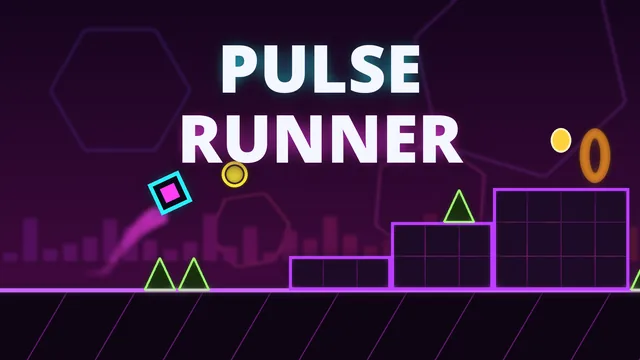
Pulse Runner
Pulse Runner is a one-button rhythm platformer. Your glowing cube runs to the right on its own, and every level is built on its own original electronic track, with the obstacles placed on the beat. Tap to jump over spikes, hold to keep bouncing, and feel the song carry you from one jump to the next. A single touch of a spike ends the run, and the next attempt starts instantly, so it is always one more try.
Six hand-designed levels climb from Easy to Insane, each a minute or more long. Along the way you meet yellow and pink jump pads, orbs you tap in mid-air for a second jump, gravity portals that put you running on the ceiling, gravity orbs and pads that flip you mid-flight, speed portals that push the tempo, and ship sections where you hold to fly up through tight neon tunnels. The background pulses with every kick drum, and a progress bar shows how far you got and your best run so far.
Stuck on a hard part? Practice mode drops checkpoints for you, or lets you place your own, so you can learn a section and then go for the full run. Every level hides three coins off the obvious path; collect them to unlock new icon shapes and colours for your cube and ship. Your progress is saved automatically, and with a free TapNPlay account it follows you to other devices and puts your cleared levels and coins on the leaderboard.
How to play
- Pick a level and press Play. Your cube runs forward by itself.
- Tap, click or press Space to jump. Hold to jump again as soon as you land.
- Touch a yellow or pink pad to be launched. Tap while you are inside an orb to jump again in mid-air; blue orbs and pads flip gravity.
- Fly through an orange portal to become a ship: hold to climb, let go to sink. A green portal turns you back into a cube.
- Spikes and the sides of blocks are deadly, the tops are safe. Use Practice mode with checkpoints to learn a level, then beat it in one go to collect its coins.
Controls
| Click / tap / Space / Up / W | Jump; hold to keep jumping or to fly the ship up |
|---|---|
| Gamepad A | Jump / fly |
| Esc / P / gamepad Start | Pause |
| R | Restart the attempt |
| Z / gamepad X | Practice: place a checkpoint |
| X / gamepad B | Practice: remove the last checkpoint |
| Arrow keys / Enter | Move through menus |
| M | Music on or off |
- Developer
- peakr.io
- Released
- Platforms
- Browser (desktop and mobile)
- Players
- Single player